
Lists, consent and double opt-in
A contact joins one or more lists, and each list keeps its own consent with the evidence of how it was given. With double opt-in, a new subscriber gets mail only after they click the link in a confirmation email, which proves the address is theirs and that they asked for it.
How a subscription is confirmed
Section titled “How a subscription is confirmed”- Someone signs up on a signup form or the subscribe page. Their list membership is pending.
- ReputeCast sends the confirmation email through the System stream, so it doesn’t depend on your marketing routes.
- They click Confirm my subscription. Every list they are pending on is confirmed at once, and ReputeCast records the time, IP address, browser, and the consent text and version they agreed to.
- If they haven’t clicked after 24 hours, one reminder goes out (for signups under 7 days old).
- From then on, they receive Broadcasts and Automations for those lists.
Link scanners that only check a link without opening it never confirm a subscription. The confirmation link doesn’t expire. A contact who never confirms stays pending and gets no marketing mail; ReputeCast doesn’t remove pending contacts on its own.
If no sending provider is connected to the System stream, confirmation emails wait and are retried every 5 minutes for up to 3 days. See routing to connect one.
Consent statuses
Section titled “Consent statuses”Each contact has one consent status, shown in the contact list and the profile header:
| Status | Meaning |
|---|---|
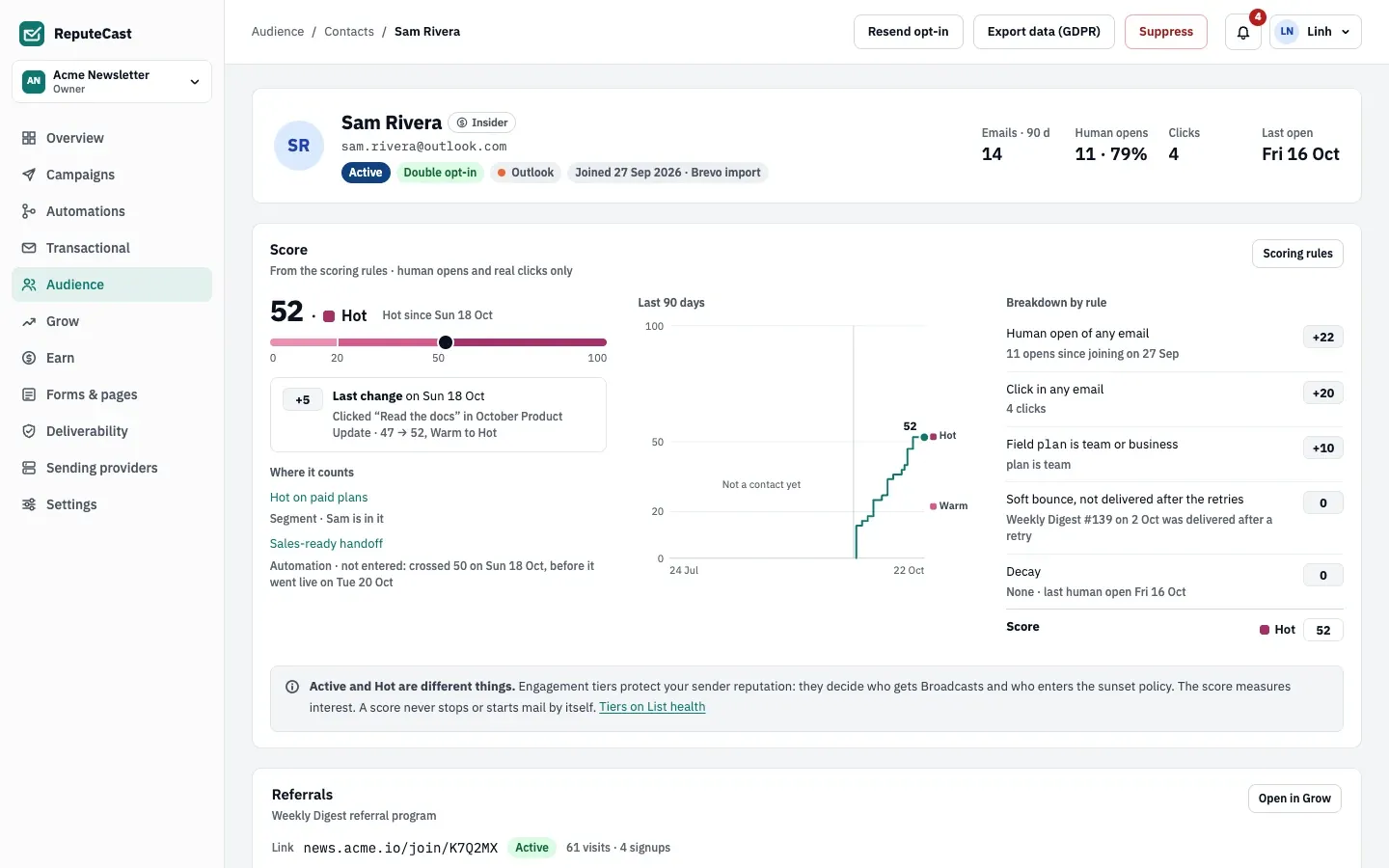
| Double opt-in | Confirmed by clicking a confirmation link, or imported from a source that used double opt-in. |
| Single opt-in | Subscribed without a confirmation: a single opt-in form, the API, an import you trusted, or They already agreed when you added them. |
| Imported · pending | Waiting for a confirmation click. This covers unconfirmed form signups and contacts you added or imported with a confirmation email, not only imports. |
The profile’s Consent per list card shows each list on its own: Confirmed, Subscribed, Pending, Unsubscribed or Not subscribed, with a line such as “Subscribed via Newsletter signup 3 Oct · confirmed 3 Oct from 203.0.113.7 · consent text v2”.
What evidence is kept
Section titled “What evidence is kept”For every consent change, ReputeCast stores the action, the source (form, page, import, API, team member), the time, the IP address and browser, the exact consent text with its version and language, and the page, UTM parameters and referrer of the signup. The profile shows the source, date, IP address and version; Export data (GDPR) downloads all of it. See Manage contacts.
SMS and WhatsApp consent are kept apart from email consent, each with its own evidence. A STOP by text never touches email, and an email unsubscribe never touches texts.
Where double opt-in is set
Section titled “Where double opt-in is set”- Signup forms have their own double opt-in switch, on for a new form.
- Adding a contact by hand: Send a confirmation email (double) or They already agreed (single).
- Imports: trust the source’s opt-in, or re-permission everyone first, which imports them as pending and sends one confirmation email. See Import contacts.
- Each list has a double opt-in setting, on for a new list. Product checkouts and integration actions that add contacts follow it.
- Referral signups always confirm.
Unsubscribes
Section titled “Unsubscribes”- The unsubscribe link in an email, one-click unsubscribe and the unsubscribe page remove the contact from every list and add a marketing-only entry to the suppression list. Broadcasts and Automations stop; System and transactional mail still arrive. The confirmation page offers Resubscribe, which brings their lists back.
- The preference center unsubscribes from one list at a time, without a suppression.
- A transactional email’s unsubscribe link turns off only its own category.
Suppressed contacts never come back by themselves
Section titled “Suppressed contacts never come back by themselves”- A form signup from an address suppressed for a bounce, complaint, spam trap, invalid address or by hand changes nothing and sends nothing; the visitor sees the usual “Check your inbox” page.
- A form signup from someone who unsubscribed is always treated as double opt-in, even on a single opt-in form. Their suppression is lifted only when they click the confirmation link.
- Add contact, bulk Add to list and imports refuse or skip suppressed addresses.
- Removing a bounce or complaint from the suppression list puts the contact back to pending, so they need a new opt-in before they get mail again.
Lists are created by an import (New list), by the setup of a sending provider or store, from an agency’s
workspace template, or with the API (Create a list). Creating, renaming and deleting
lists needs lists:manage (Owner, Admin and Editor). To delete or restore a list, use its menu on
List health.
Defaults and limits
Section titled “Defaults and limits”Signups, confirmations and the preference center follow these defaults:
| Setting | Default | How to change |
|---|---|---|
| Double opt-in on a new form | On | Form builder |
| Confirmation reminder | One reminder 24 hours after the confirmation email | Fixed |
| Confirmations wait for a System provider | Up to 3 days | Fixed; then the signups are listed as waiting for 30 days with copyable links |
| Suspicious submission held for a Turnstile check | 30 minutes | Form builder › Turnstile |
| Submissions faster than this look automated | 3 s | API minSeconds, 0–60 |
| Submissions per IP address | 5 per minute across the workspace's forms | API rateLimitPerIp, 1–120 |
| Submissions per form | 120 per minute | Fixed |
| Popup timing | Opens after 8 s; stays closed for 14 days after it's dismissed | Form builder › Opens after (0–600 s), Or scrolled (0–100%), Closed for (0–365 days) |
| Pause options in the preference center | 30 or 90 days | Forms & pages › Pages › preference center |
| Download link after a form signup | 7 days | Form builder › Links work for, 1–30 days |
A new list also has double opt-in on. All defaults are in Limits and defaults.
When to change them
Section titled “When to change them”- Keep double opt-in on for public forms. It keeps typos, fake signups and spam traps off your lists, and mailbox providers expect it.
- Use single opt-in only when you already have the person’s consent on record, for example a customer who ticked a box at checkout.
- For an old or single opt-in list you import, re-permission everyone first, then follow up or remove non-responders with an automation.