
Revenue metrics explained
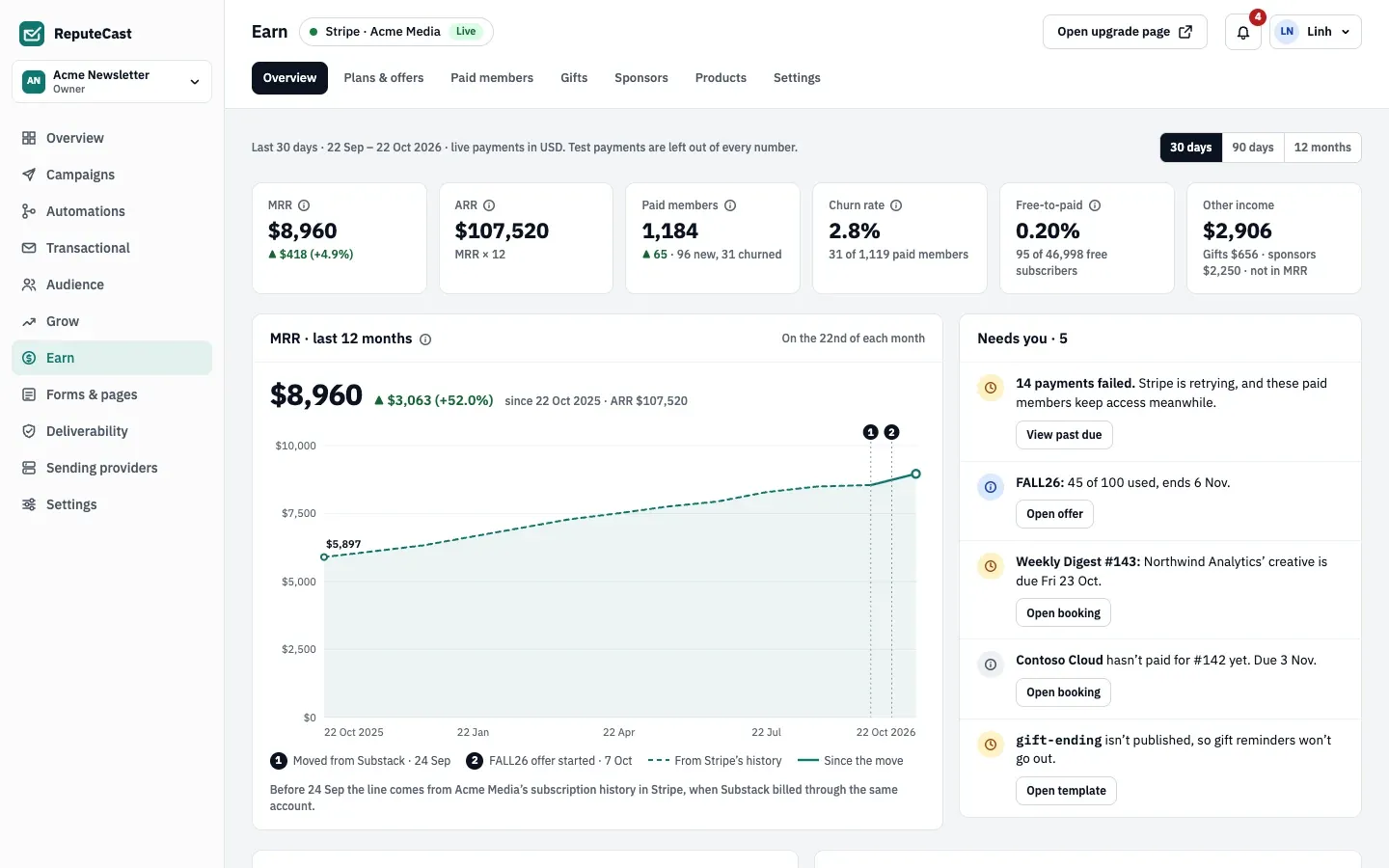
Earn’s Overview reports newsletter MRR, churn, ARR, paid members and free-to-paid conversion for the last 30 days, 90 days or 12 months. Every number has its definition in a tooltip; this page collects them. All amounts are in your Stripe currency, and test-mode payments are left out.
How each number is calculated
Section titled “How each number is calculated”- MRR is the monthly value of every Active and Past due subscription, after discounts and before tax. A yearly price counts as a twelfth. Trials, free periods, complimentary and gift access, gift sales, sponsors, conversions and test mode are left out.
- ARR is MRR × 12.
- Paid members are the Active and Past due subscriptions, the paying ones. Trialing, complimentary and gift access are counted apart (Manage paid members).
- Churn rate is the paid members whose access ended in the period ÷ the paid members at its start. A scheduled cancellation counts when access ends, not when the reader asks.
- Free-to-paid conversion is the free subscribers who became paid members in the period ÷ (free subscribers at the start + those who joined during it). New contacts who paid straight away are counted apart.
- MRR movement splits the change in MRR:
- New: first payments.
- Expansion: a higher tier or price.
- Contraction: a lower price, a discount starting, or a switch from monthly to yearly.
- Churned: access ended.
- Reactivated: paid again within 90 days of access ending.
Gifts, sponsorships and digital products appear as other income, never in MRR.
How upgrades are credited
Section titled “How upgrades are credited”An upgrade is credited to the last campaign or automation email the reader clicked within the attribution window (7 days by default) before checkout. Without such a click, it is credited to how the reader reached the upgrade page. Each campaign report then shows the revenue it brought in (Read campaign reports).
Your own product or shop can report conversions too: upgrades and orders sent through the conversion API with the
conversions:create permission. ReputeCast adds an opaque rc_click token to links that point to the domains you
list, so your product can pass it back with the conversion and the conversion is credited to the email that brought
the reader. Conversions are shown under Product conversions and are not in MRR. See
Record events and conversions.
Defaults and limits
Section titled “Defaults and limits”| Setting | Default | How to change |
|---|---|---|
| Stripe webhook events registered | 14 | Earn › Settings › Payments › Register again re-creates the webhook |
| Check for Stripe events the webhook missed | Every hour | Fixed |
| Raw Stripe events kept | 90 days | Fixed |
| Stripe webhook silent warning | 24 hours without an event, with 50 or more active subscriptions | Fixed |
| Attribution window | 7 days | Earn › Settings › Attribution, 1–30 days (needs payments:manage) |
| Free trial per tier | None | Earn › Plans & offers › tier; 7, 14 or 30 days |
| Access while a payment fails | Kept while Stripe retries | Earn › Settings › Access; keep access or end it at once |
| Retention offer per paid member | Once every 12 months | Fixed |
| Offer duration | Once | Offer editor; once, 1–36 months, or forever |
| Referral reward code valid for | 60 days | Referral reward offer, 1–365 days |
| Paying again counts as reactivated within | 90 days after access ended | Fixed |
Conversions API occurred_at | Up to 30 days in the past, never in the future | Fixed |
| Paid member import file | Up to 25 MB and 100,000 rows | Fixed |
When to change them
Section titled “When to change them”- Lengthen the attribution window (1–30 days) in Earn, then Settings, then Attribution when readers usually take longer than a week between reading and paying; shorten it if you send daily and want credit to go to the latest issue.
- The movement categories, churn and MRR definitions are fixed, so numbers stay comparable over time.