
Connect any HTTP email API
When your sending provider isn’t built into ReputeCast but has an HTTP API for sending and JSON webhooks for events, the generic HTTP adapter is a custom email API integration you set up in a form, without writing code. You map the send request, where the response puts the message ID, and how webhooks are read and authenticated; ReputeCast saves it as an adapter that every workspace on the instance can connect.
| Kind | HTTP |
|---|---|
| Bulk marketing | Your own policy |
| Event webhooks | Added by hand in your provider; HMAC, Standard Webhooks, basic auth, a header secret or none |
| Domain setup | Manual DNS |
| Suppression sync | Local only |
| Batch size | 1 |
| Notes | Maps any HTTP email API's send call and webhook without writing code, from a form or a manifest. |
Before you begin
Section titled “Before you begin”- Pick the right kind of adapter. The generic HTTP adapter sends one request per message and reads webhooks. If your provider also has an SMTP endpoint, an SMTP connection may be simpler; if you need batch sending, a domain API or suppression sync, write a community adapter. Provider adapters compares the three.
- Instance admin. Adapters apply to every workspace on the instance, so only instance admins with
providers:managecan save one. Others see the form read-only. - From your provider’s API documentation: the send endpoint, how it authenticates (usually an API key in a header), the JSON body it expects, where its response carries the message ID, and the shape of its webhook events.
- A public HTTPS address for the webhook. ReputeCast can’t poll an HTTP mapping, so the address must be reachable from the internet.
Map and connect the API
Section titled “Map and connect the API”-
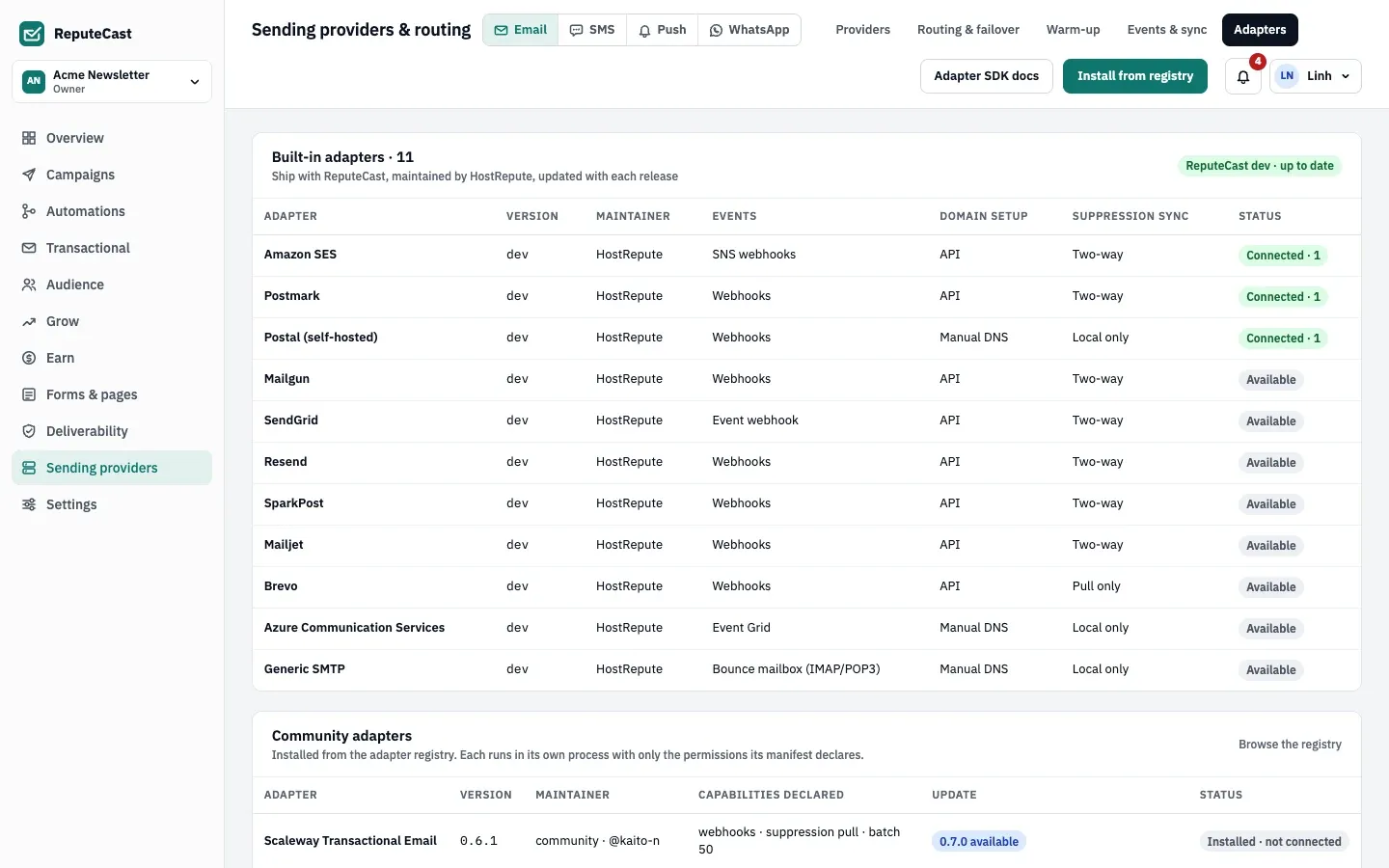
Open Sending providers, then Adapters and scroll to Generic HTTP adapter.
-
Fill in the mapping:
- Send endpoint: the method and an
https://URL, for examplePOST https://api.example-esp.com/v1/messages(POST, PUT or PATCH). - Request headers: one per line, as
Name: value, for exampleAuthorization: Bearer {{ secrets.api_key }}.{{ secrets.api_key }}is the key entered when a workspace connects the adapter. - Request body template: the JSON body with
{{ }}fields such as{{ sender }},{{ recipient }},{{ subject }},{{ html }}and{{ headers_json }}. Values are escaped for JSON. Include{{ message_id }}if the provider can echo it back in webhooks. - Message id in response: a JSONPath into the response, for example
$.data.id. - Webhook mapping: the preset for webhooks that carry a
statusfield, or a Custom JSONPath map with the paths of the Event type, Recipient, Message id and, for batched webhooks, Events in one request. - Webhook authentication: HMAC signature in a header, Standard Webhooks (webhook-signature), Basic auth, Secret in a header, or None: the webhook URL only.
- Send endpoint: the method and an
-
Choose Test with a sample message. ReputeCast renders the request it would send for a sample message, with secrets shown as
••••. Nothing is sent: this checks the mapping, not the provider. -
Choose Save as adapter, give it a Name such as the provider’s name, and save. The adapter appears in Add provider for every workspace.
-
In the workspace that sends, open Sending providers, choose Add provider and find your adapter under Community adapters. Choose Connect, paste the API key and, if the provider signs webhooks with a secret of its own, its Webhook signing secret under the extra settings. A form-made mapping has no credential check, so a wrong key shows up only at the test send.
-
In 2. Webhooks, ReputeCast tests its own public URL. Choose Copy URL and add that URL as a webhook in your provider. If you didn’t enter the provider’s own signing secret, choose Create a secret, copy it (it’s shown only once) and set it up in the provider the way your webhook authentication says.
-
Finish Continue to domain verification with the DNS records your provider documents; ReputeCast suggests DMARC if the domain has none. In Test send, send a test: it’s a real message through your mapping, and the timeline waits up to 30 minutes for the provider’s first webhook.
Check that it worked
Section titled “Check that it worked”- The test send’s timeline shows the delivery event from your provider.
- Your adapter’s card on Sending providers, then Providers shows Healthy, and events arrive under Sending providers, then Events & sync.
ReputeCast sends one request per message, at up to 20 per second. A 401 or 403 from the provider marks it down
with failed credentials, 429 slows it down, and 408 or 5xx count toward an outage. Copies and attachments
aren’t supported through a mapping. ReputeCast can’t read your provider’s terms, so check its acceptable-use policy
before you route Broadcasts to it.
Troubleshooting
Section titled “Troubleshooting”- “Enter an https:// URL, for example POST https://api.example-esp.com/v1/messages.” The form needs the method
and an
https://address. Plainhttp://works only in a manifest, for a test server on loopback. - “The body template isn’t valid JSON once its
{{ }}fields are filled in.” Check the commas and quotes. Inside a JSON string a field is escaped in place ("subject": "{{ subject }}"); outside a string it is JSON-encoded, so"headers": {{ headers_json }}becomes an object. - “… is already registered as …”. Another adapter has that name. Choose another one.
- The test send fails with “… didn’t accept the test”. The provider’s answer follows the message: often a wrong key, a missing header or a body field the API rejects. Compare the request from Test with a sample message with the provider’s documentation.
- Webhooks get
401. The provider’s requests don’t match the webhook authentication you chose, or it still uses an old secret. After Rotate secrets in Settings, then Providers, paste the new secret into the provider, because ReputeCast can’t update it there. - You disconnected the adapter. ReputeCast changes nothing at the provider. Remove the webhook pointing at ReputeCast there.